
Ever wanted to make an app in the style of One UI? Well, this is a great place to start.
The One UI Design Kit is based on the design principles used in Samsung's own apps. It's up to date and adapted for One UI 7's design changes, with everything you need to make a beautiful app.
Easy to use layout
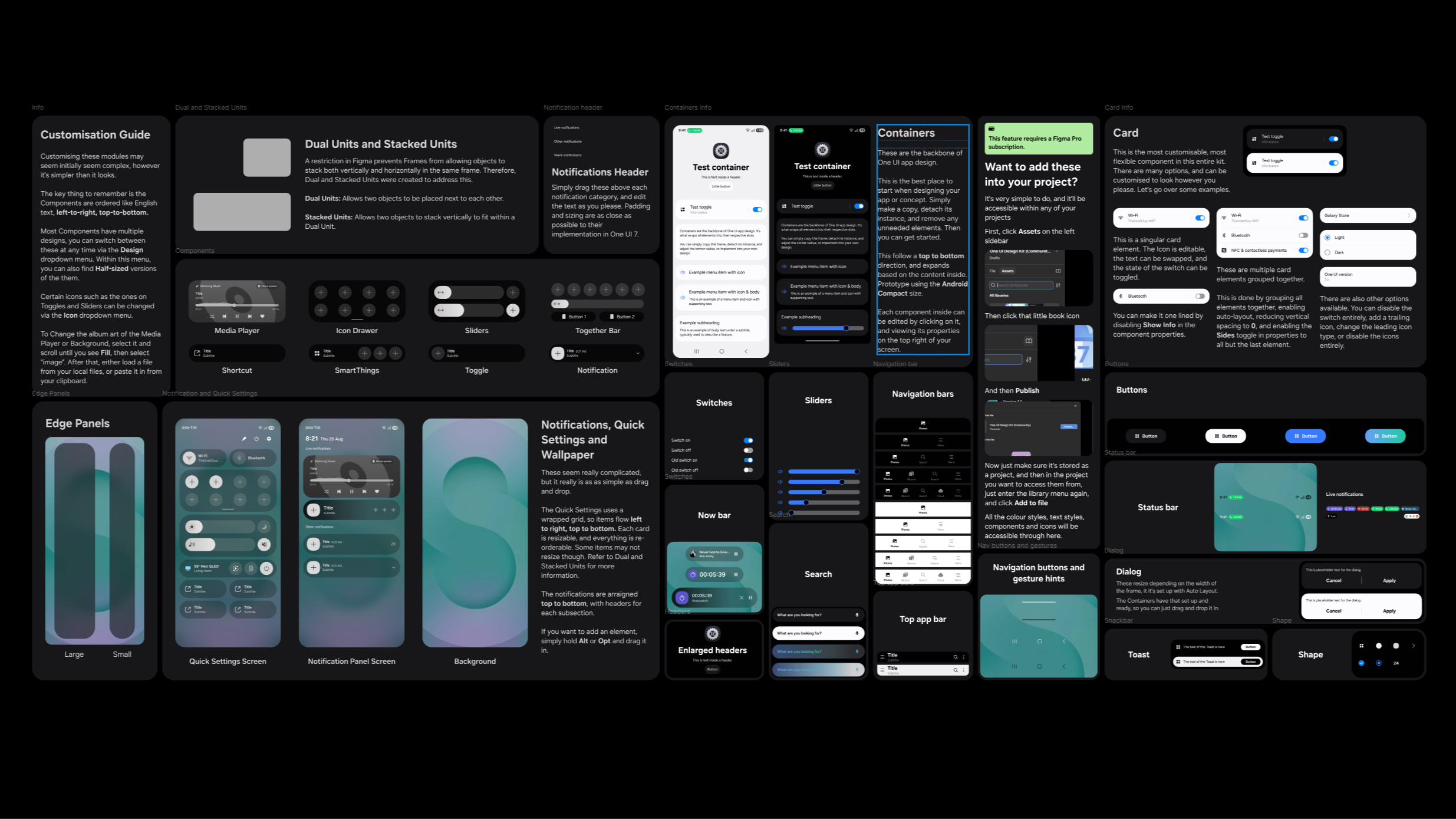
The Bento-style layout makes designing easy and approachable, even for people who don't have much experience with Figma or design software in general.
Everything is neatly organised, well explained and easy to understand. Tips are scattered throughout the kit, which is useful for new and experienced designers alike.
Components
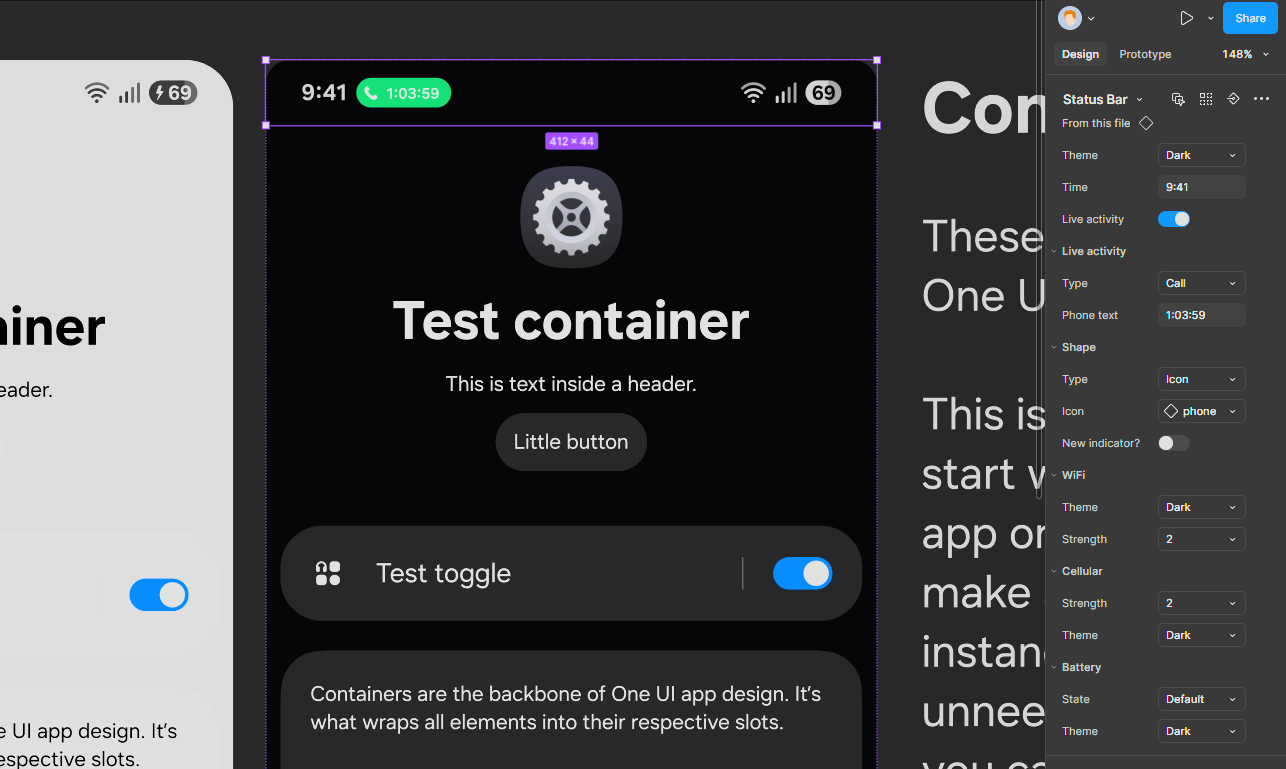
Components make it easy to customise each individual element. Add toggles, change icons, enable or disable items within those elements, and more. Change the state of icons and toggles, such as the number of bars on a Wi-Fi icon. The possibilities are endless.
Prebuilt containers, built with Auto Layout, make designing as easy as drag and drop.
Icons
1,500
and counting
You read that right. There are a wide variety of icons taken straight from many of Samsung's apps, including many SmartThings device icons. You can switch between them within the prebuilt components or copy them into your project.
More icons are added with each update. Be sure to check back often to grab the latest ones.
Turn it into code
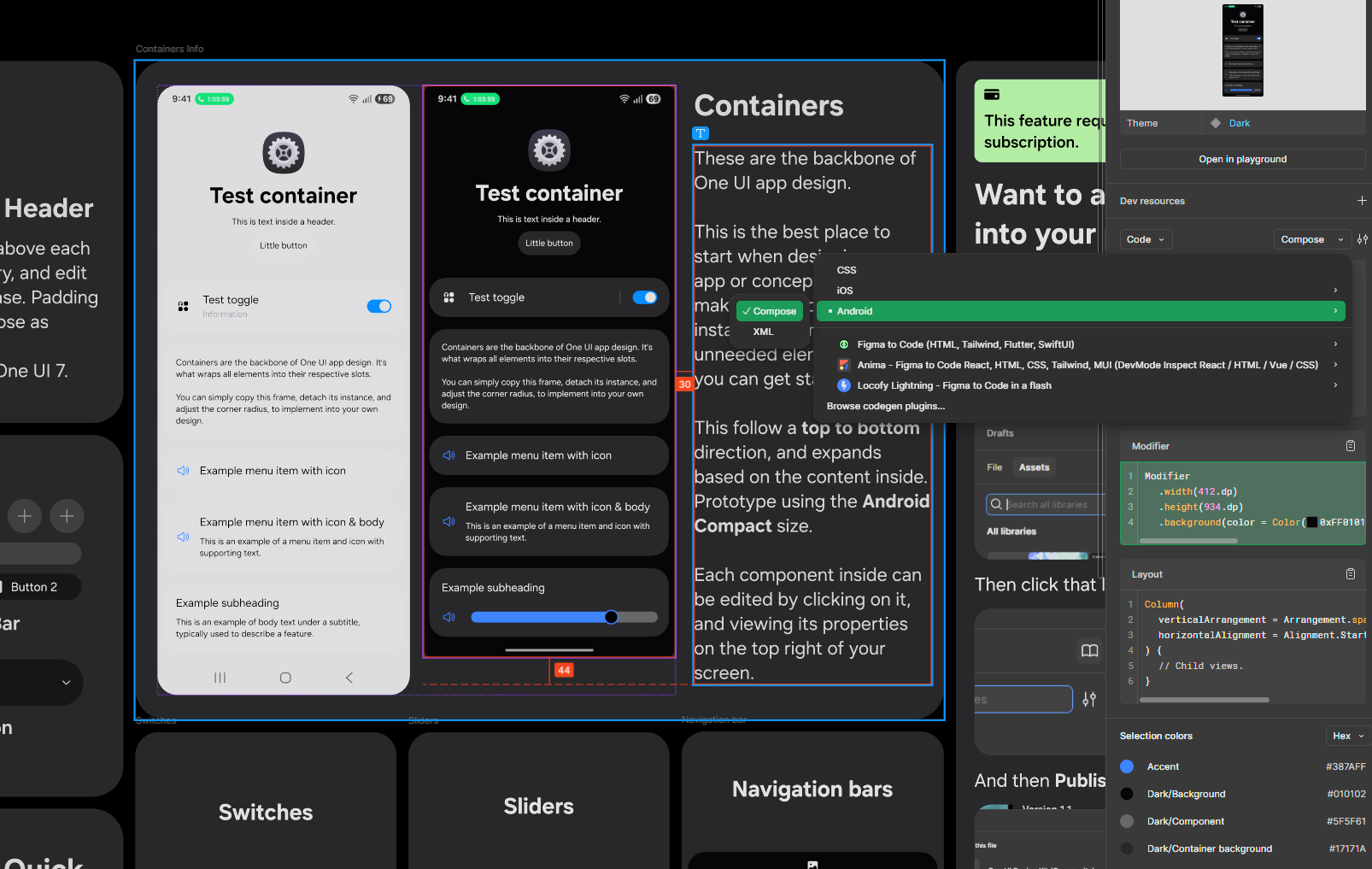
You can then take your designs and turn them into code. Using Figma's Dev Mode tools, you can export to various platforms, including Android, iOS and the web. This very site is built with the One UI Design Kit.
Note that this specific feature requires a Figma Pro subscription, as do some other elements of the kit, such as Local Libraries. The rest of the kit is free for anyone to use, commercially or personally.